


2 minutes - magazine 01 | 2026
Crane Finder meets Crane Planner 2.0
Efficiency starts with the right tools. Crane Finder and Crane Planner 2.0 form the perfect duo for digital crane planning.
Plan even faster now with the setup code
There is now a new copy function for the setup code. It bridges the gap between the two tools and makes planning sophisticated crane jobs even easier and faster.
Two powerful tools, one smart code
Moving heavy loads safely – that is the main task of our mobile and crawler cranes. However, well thought-out and precise planning is the basis for a successful crane job. This is where digital solutions that support the entire process play a role. The Crane Finder allows you to select the right crane in the optimum configuration with only a few input parameters and without “simply trying things out”. The Crane Planner 2.0 then takes over the detailed 3D-based simulation of the planned job.
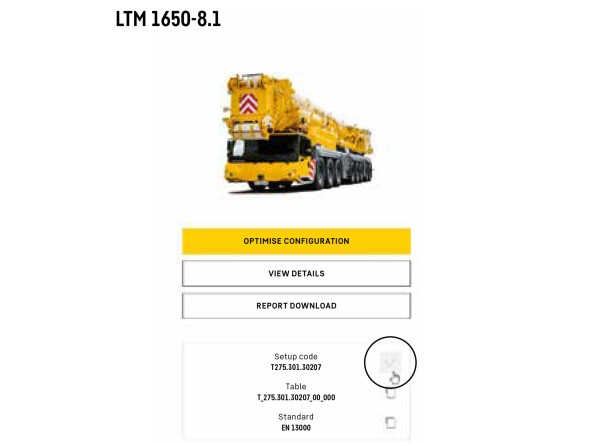
It’s that easy:
The new function saves valuable time, reduces transmission errors and ensures a smooth transition between the two tools.
The new “setup code transfer” function links the two tools in an intelligent manner: there is no manual transfer of configuration data. Within seconds, you can go directly from crane selection in the Crane Finder to detailed planning in the Crane Planner. The new function saves valuable time, reduces transmission errors and ensures a smooth transition between the two tools. This makes the planning of complex crane jobs even faster and more efficient. Copy. Paste. Perfect planning!
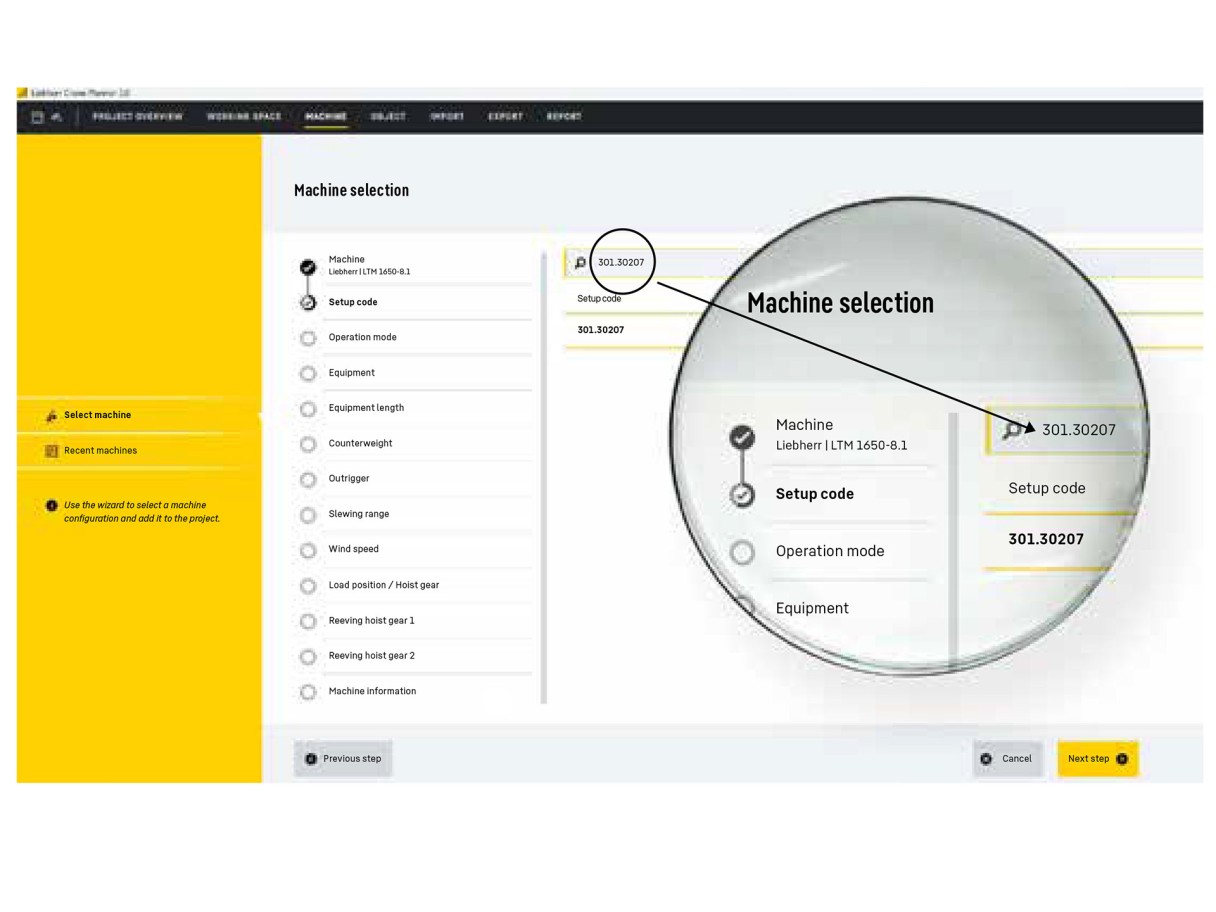
Select the machine in Crane Planner 2.0, paste the copied setup code to the relevant input field using Ctrl+V and start job planning.
This article was published in the UpLoad magazine 01 | 2026.